Printing costs


|
Printing costs |
|
|
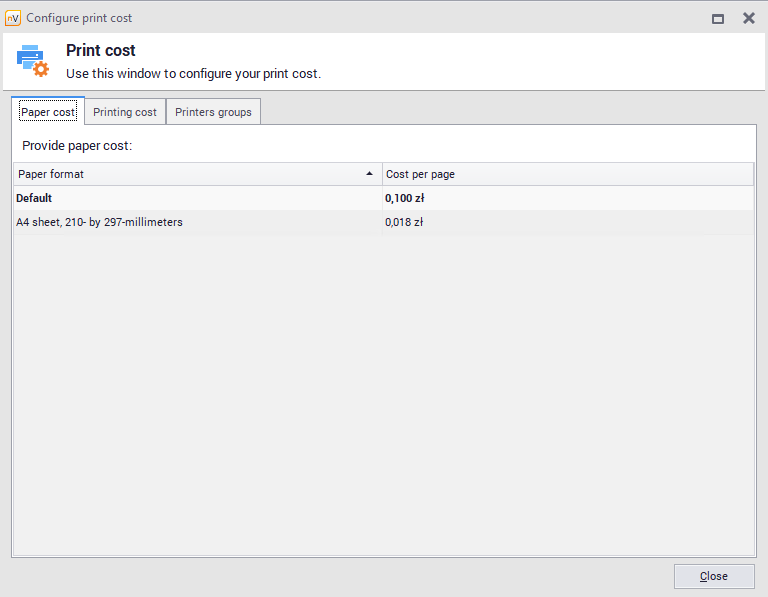
Printout monitoring lets you learn the costs of printing documents. For the costs to be assessed correctly, configure them, taking into account the costs of paper and of printing on individual printers. Configuration To configure printing costs: 1.On the ribbon, select Configure printing costs (on the Main page). You can also do this in the Printout audit window by clicking on [ Configure printing costs ]. In both cases, the Printing cost configuration window opens. 2.On the Paper cost tab, enter the costs for individual paper formats (A3, A4, A5, envelope). The cost in the Default cell is used for all formats without an entered cost.
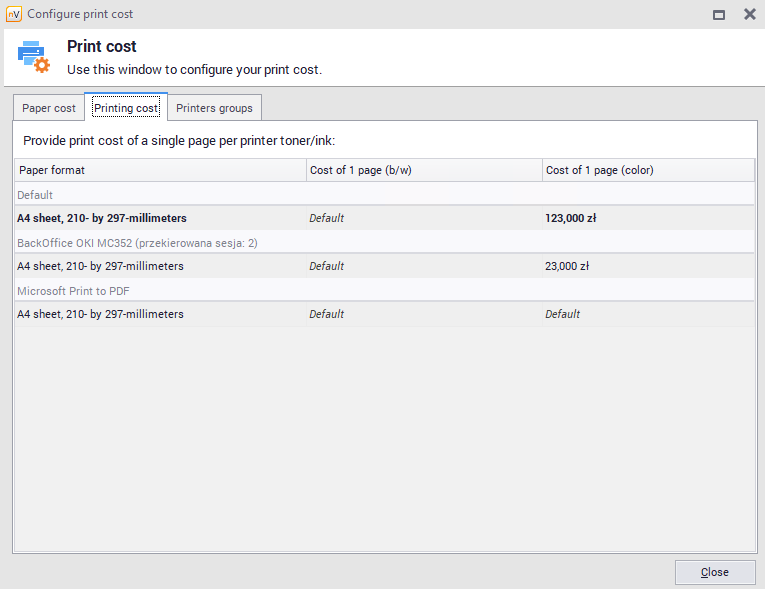
3.On the Print cost tab, enter the printing costs for individual printers. You can enter different costs for black and color printouts and use default values. If a printer does not print in color, you can select the corresponding option from the context menu.
4.On both tabs, to restore the default value of a cell, right-click on the cost field and select Set cell value as default. Printing cost audit Printing costs are shown in the last column of the Printout audit window. The total printing cost for the period is shown below. |