Software audit


|
Software audit |
|
|
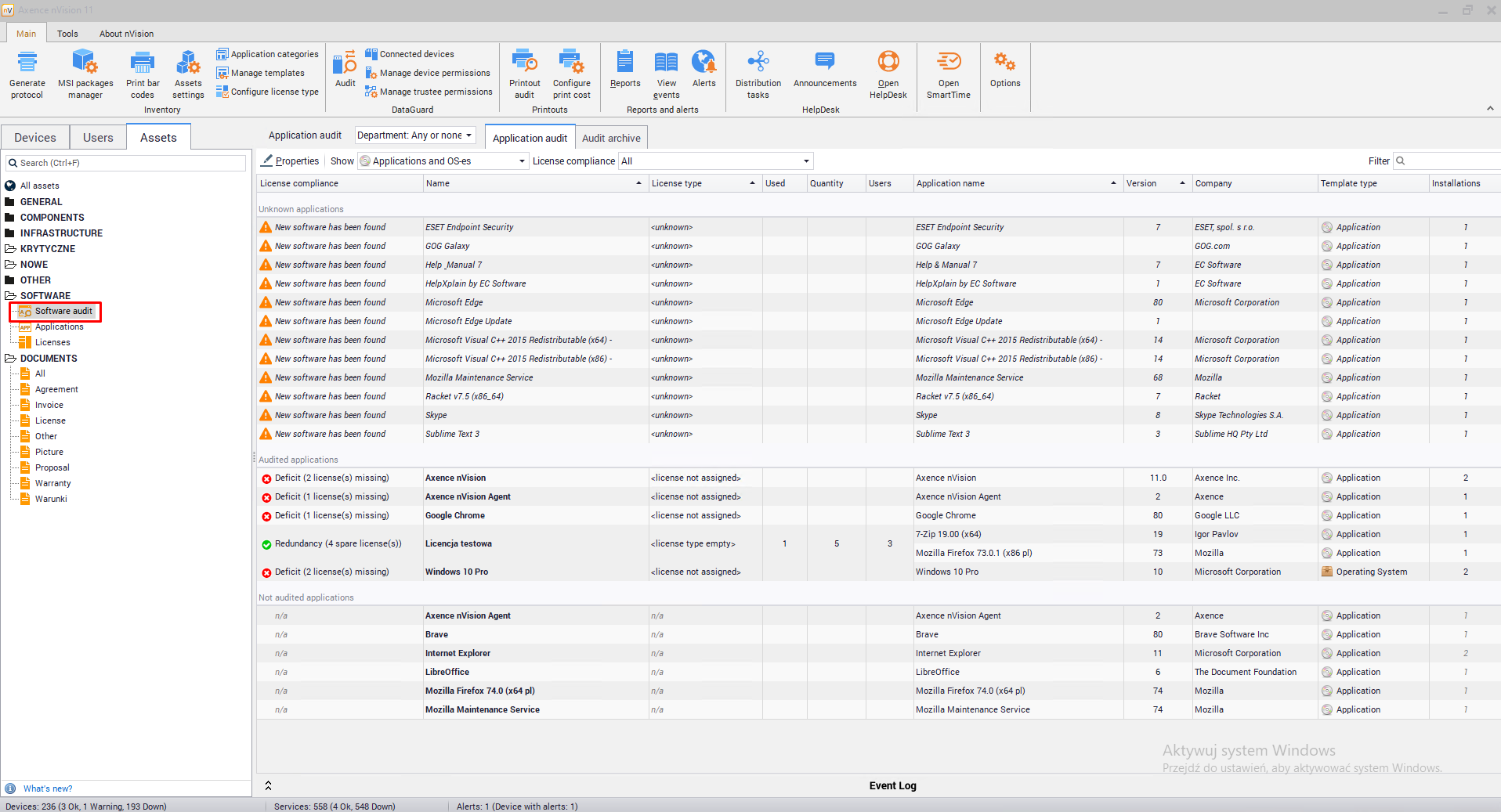
To open the software audit, go to the Assets tab in the main program window and find Software audit in the Software section:
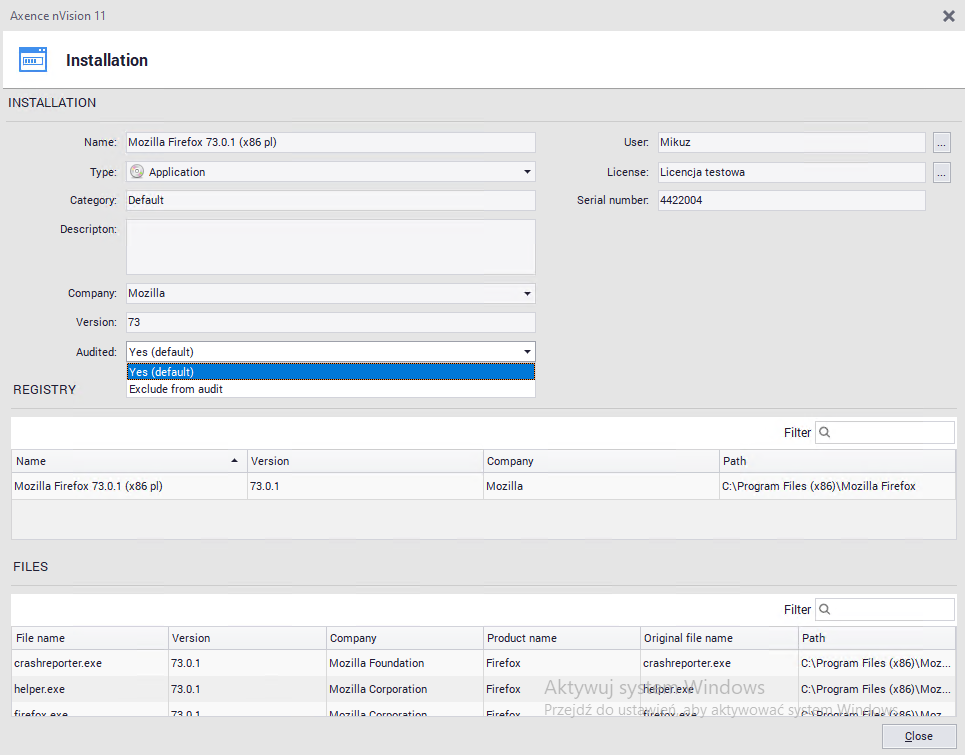
The Software inventory audit window shows a list of applications whose installations were detected on monitored computers. For recognized programs, the license type is shown, and the number of owned licenses is compared with the number of used licenses (the Installations column), that is, the number of workstations on which the application is installed and related to the license. Devices with the application installed and licenses When you select an item in the list and open its properties, the application properties window opens. On the Installations tab, you can view the devices with the application installed. If the application is audited, you can exclude a selected installation from the audit: change the value of the Audited field in the installation properties window:
On the Licenses tab, you can add, delete and edit licenses for the application. For more information, see Licenses and users. Audit archive The Audit archive tab lets you view changes in installed software in a selected period. |