Licenses and users


|
Licenses and users |
|
|
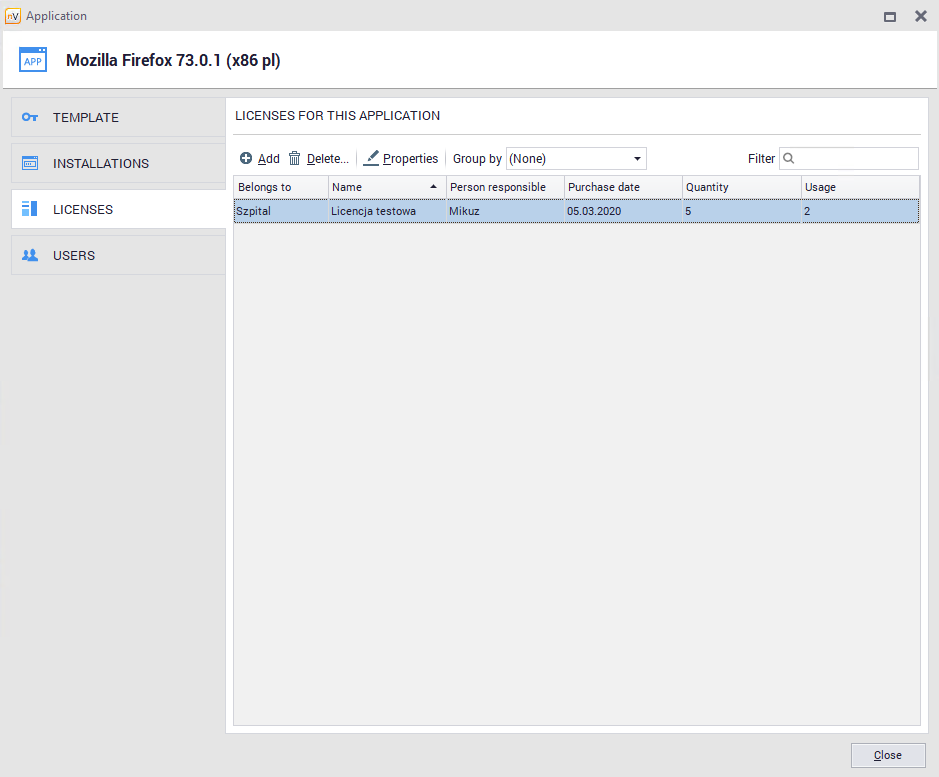
On the Assets tab in the main program window, double-click on any item in the Applications list in the Software section to open the application details window. Licenses The Licenses tab is shown only for audited applications, because you can assign licenses only to them. The list of licenses is in the main view of this tab:
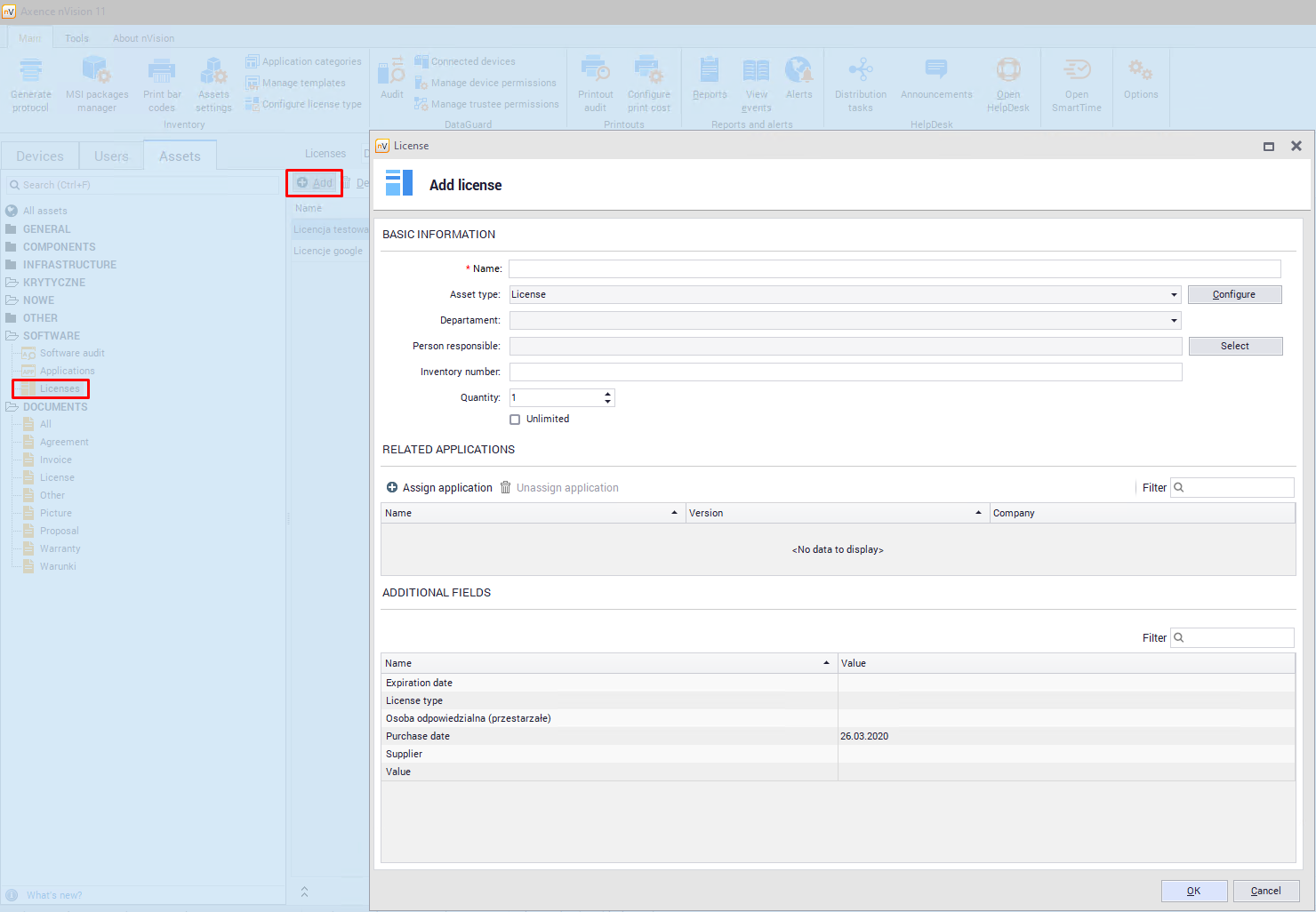
On the Licenses tab, you can also add a new license for the application: click on [ Add ] and fill in the required fields in the form:
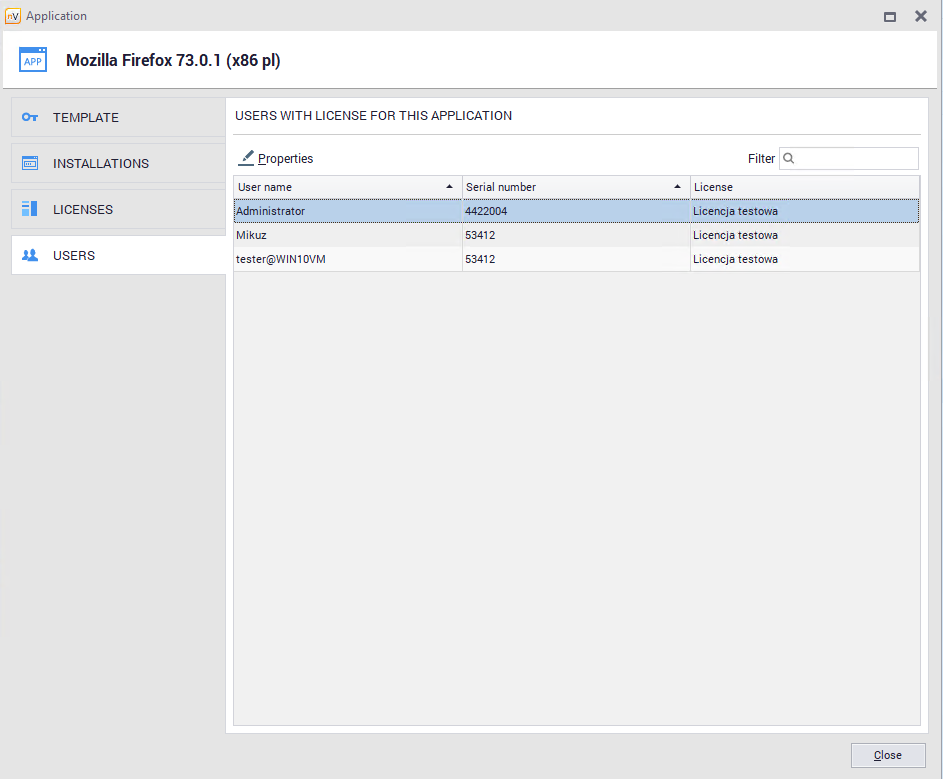
Creating a new license is described in Adding a new license. You can relate existing licenses to any applications. For details, see License properties. To import an existing (previously created) license, click on [ Assign license ]. The Select license window opens, in which you can add a new license or select an existing license to import. You can select more than one license (Ctrl+click, Shift+click). Users The Users tab shows the users related to the license assigned to the application:
Relating users to licenses is described in Assigned users. |