Installation history


|
Installation history |
|
|
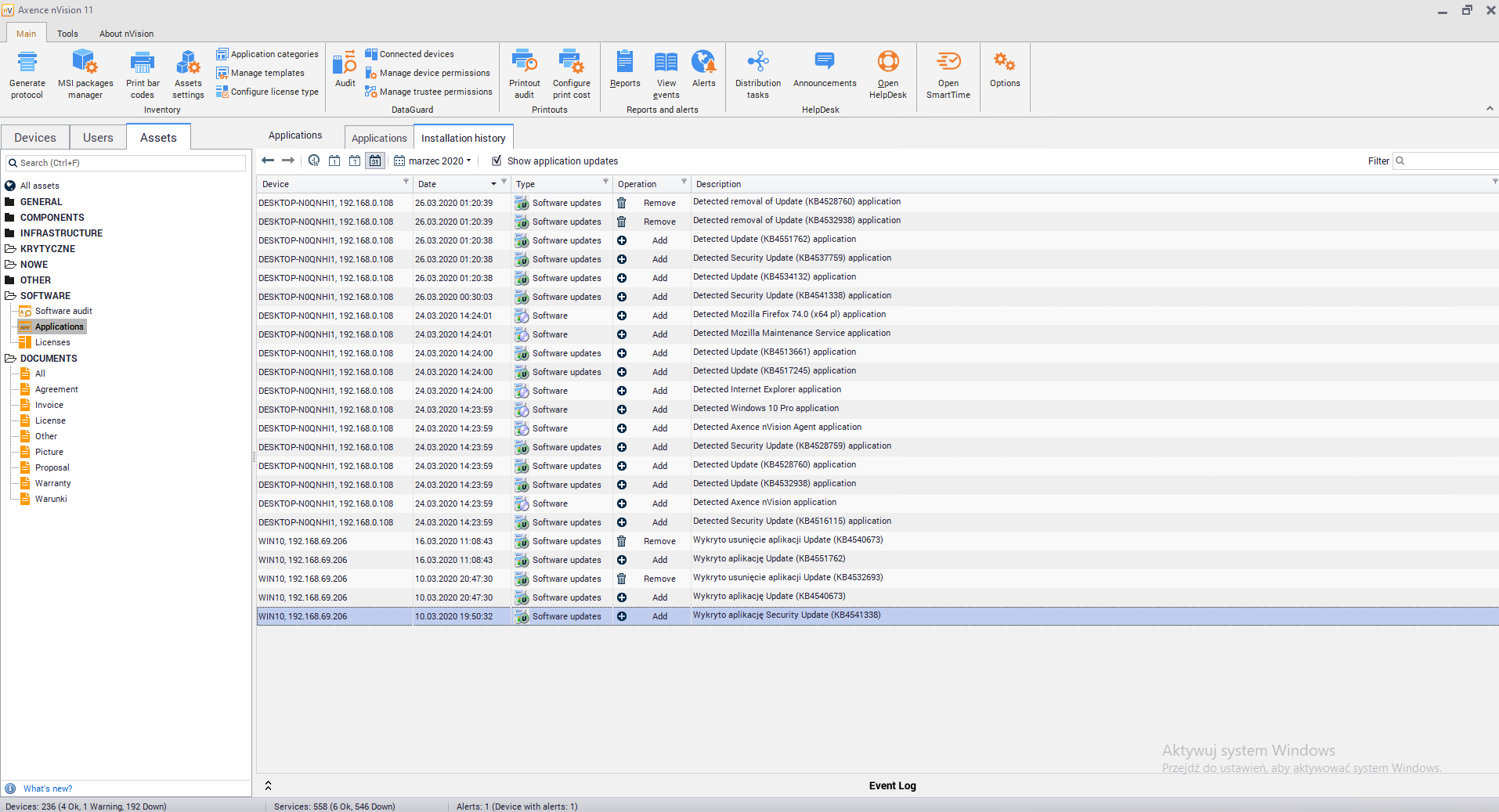
Axence nVision® collects information about applications uninstalled and installed on computers with the Agent. You will find the installation history on the Assets tab, in the Software > Applications section. In the main view, select Installation history:
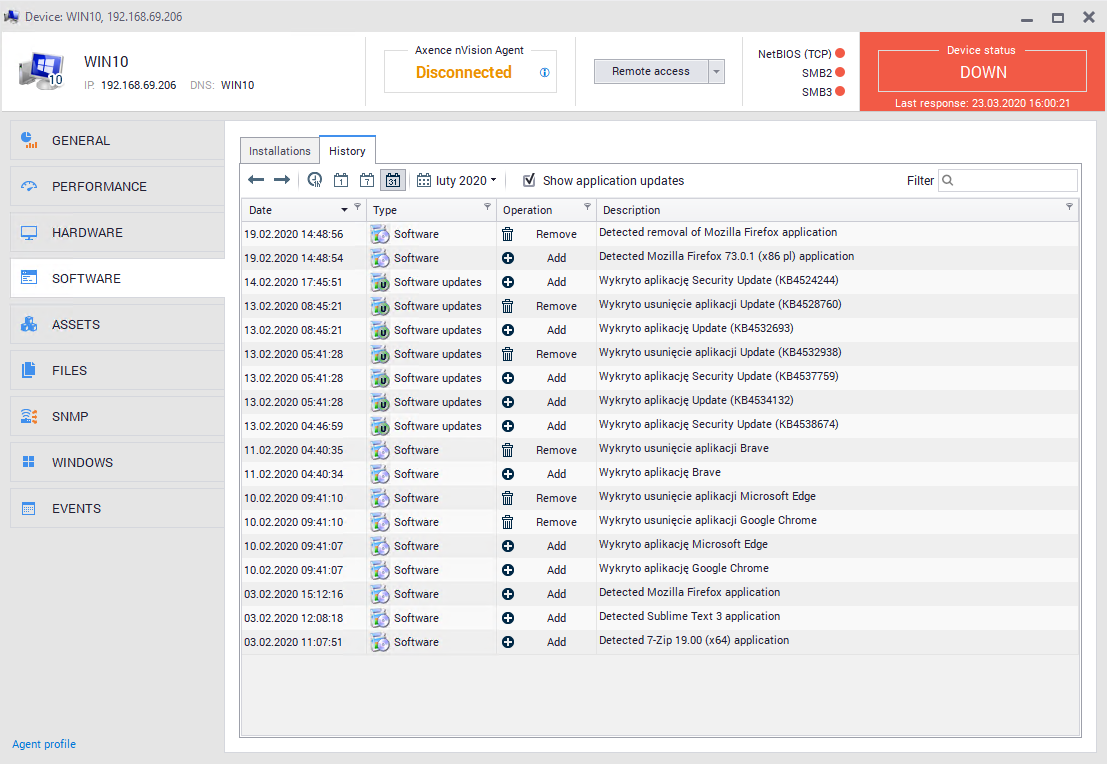
Installation history of a selected device In the Device information window, on the Software > History tab, you can see the installation history of the device:
|