



We are constantly improving things, so that the quality for you is consistent
Our Axence nVision® software not only keeps abreast of what is happening in the IT industry, but sets the trends for change itself. We make sure that the newly introduced features are what IT experts expect.
See what new features we are preparing for you!

What's new in nVision?
Axence nVision® highlights
See changelog

PowerShell Script Library
You can store all your scripts in one place. Organized and ready to deploy with a single click on any number of workstations. Additionally, you can submit your own scripts, which may be included in the Repository accessible to other nVision users

Documentation supporting ISO 27001 and NIS2 implementation and new remote access
With nVision, you’ll soon have access to a comprehensive, in-depth guide that will walk you through the process of implementing NIS2 policies and ISO standards step by step and screen by screen. We’re working on something truly special, so brace yourself. The improved remote access feature in HelpDesk allows you to quickly switch between sessions and view what is happening on all of the user’s monitors.

Temporary USB Drive Permissions in DataGuard
This gives you the ability to temporarily block and unblock USB drives, enhancing the security of your IT network. You gain control without sacrificing flexibility.

Linking HelpDesk tickets with Inventory assets
You can find out which devices cause the most problems and should be replaced first. This is also crucial from the point of view of ITSM processes, in particular Incident Management and Problem Management.

New Powershell command line
A new PowerShell command line that, like the best assistant, will make computer management much easier and faster for you.
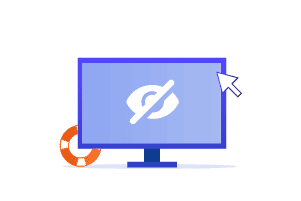
Screen masking during remote support
Ensure full privacy during remote assistance by masking the user’s screen while you work.

Remote support for devices without monitors
You can now remotely connect to headless computers — full support, even in challenging environments.
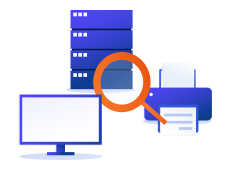
Relations between assets in Inventory module
You can create relations between any assets and describe them. It’s a feature to support risk and incident analysis, which is required by the NIS2 directive.

Register of blockade violations
Be on the lookout for attempts to access blocked sites, run unwanted programmes or processes, download blocked files and connect blocked memory sticks.