Homepage Axence
Wcag tools
Image

A new era is coming for your IT Empire.

  • Image
    Now you can easily manage the update process across all workstations in your IT Empire.
  • Image
    From today, you can decide which reports are sent, when, and to whom - and stay fully informed.
  • Image
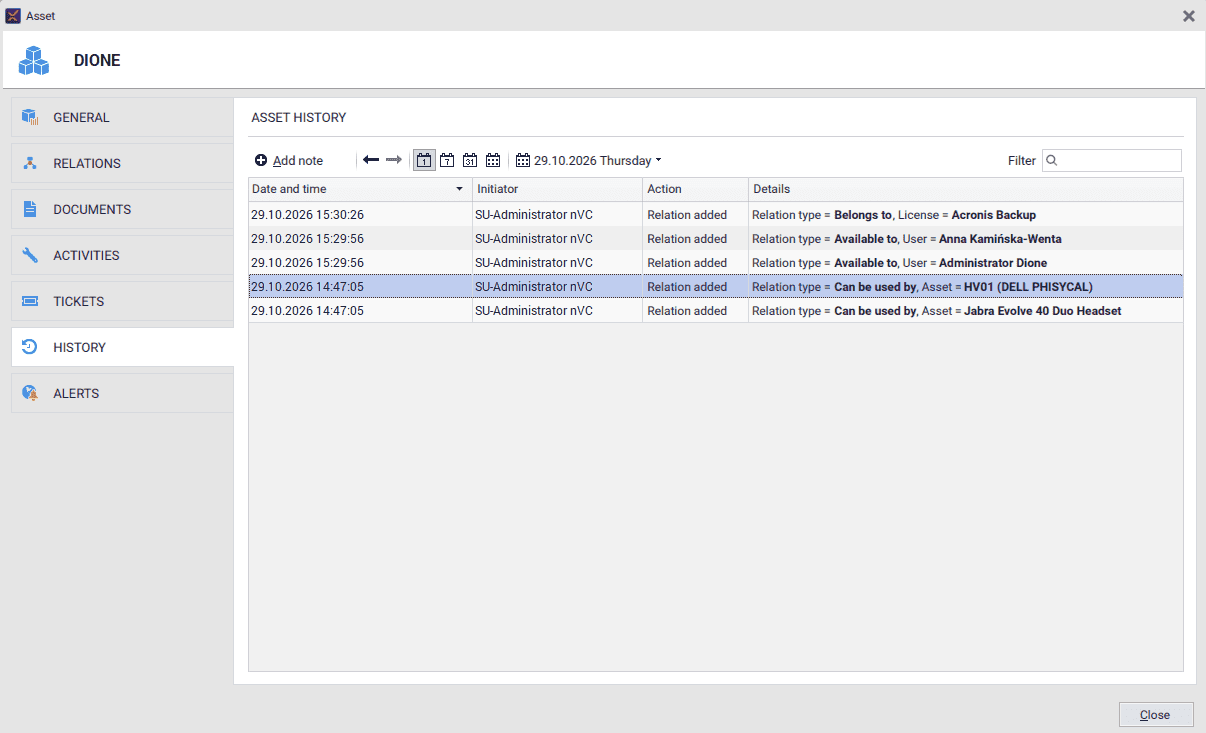
    Connect securely to devices outside your local network with Cloud Relay
  • Image
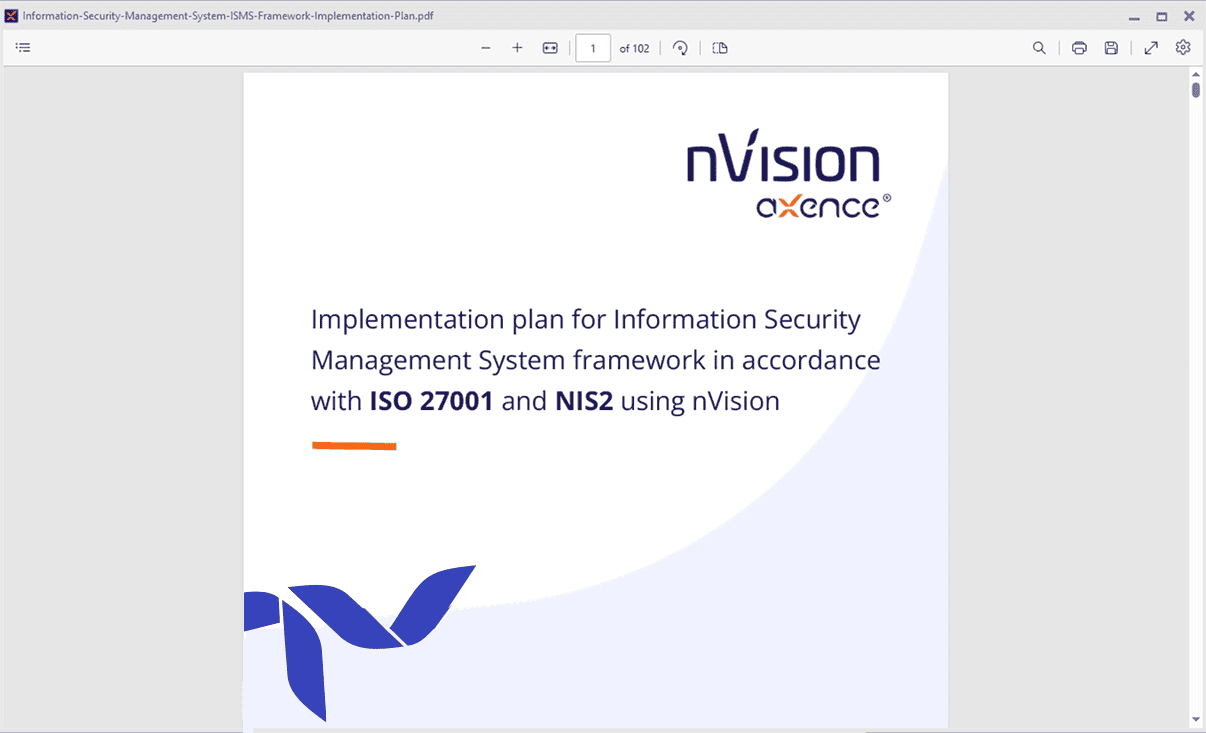
    Learn how to support NIS2 and ISO 27001 implementation with detailed, step-by-step documentation.
Image
Image
Image
Image

Patch Management

Image

Automated Reports

Image

Communication Outside the Local Network via Cloud Relay

Image

Documentation on ISO 27001 Implementation with nVision

Axence nVision 18 - your IT Empire

Axence nVision® 18

Pax IT, or an Empire in Full Bloom

Strategist, commander, and sometimes even philosopher - today’s IT Admin takes on many different roles. That’s exactly why we’re putting a new version of nVision in your hands, designed to bring peace, order, and long-awaited calm to your IT domain.

Meet nVision 18.0, which helps you:

Keep your IT Empire in top condition.

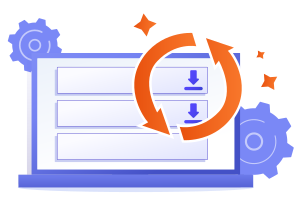
Patch Management shows you exactly what is installed and where, while letting you remotely update selected applications to the required version across chosen workstations.

Stay informed about both the capital and the farthest provinces.

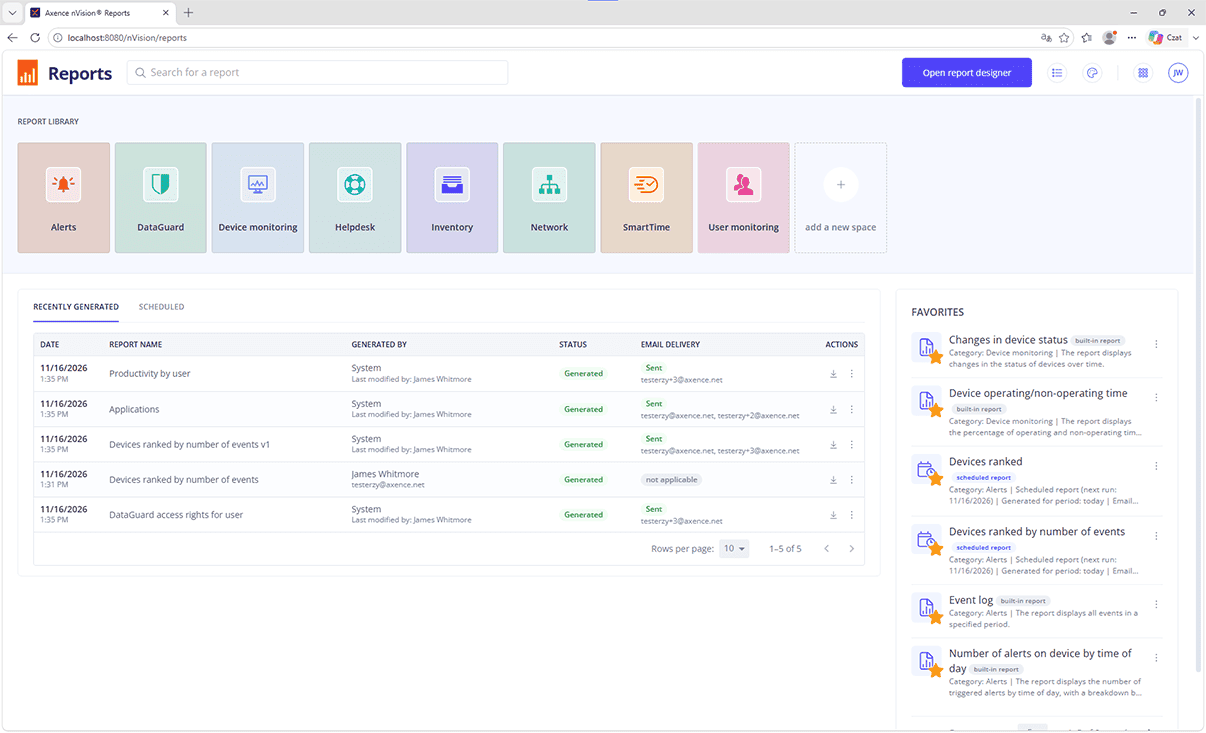
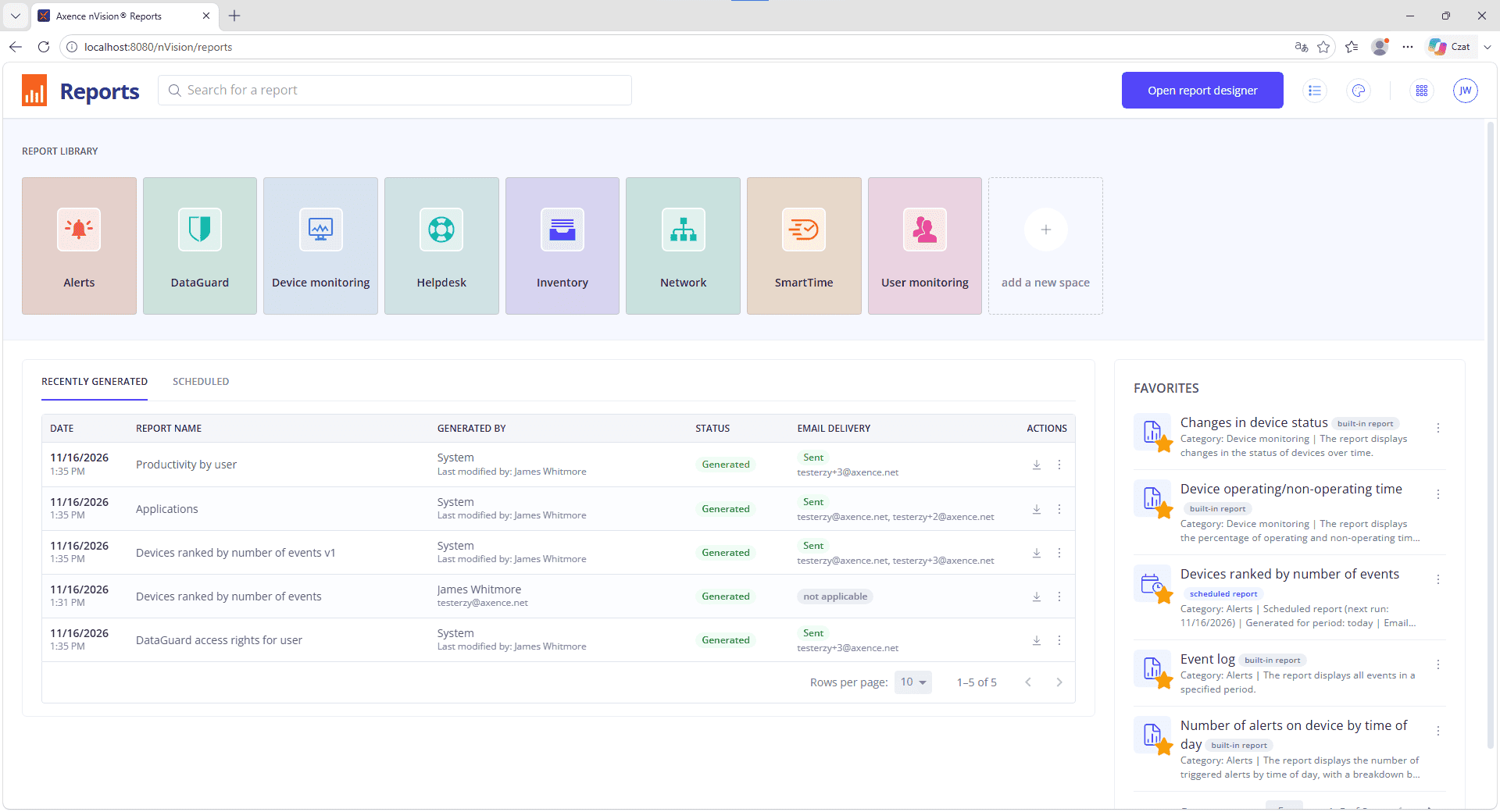
Automated reports act like trusted messengers, delivering the information you need. Define what should be reported, when, and to whom - and let nVision handle the rest.

Keep your legions connected wherever they are.

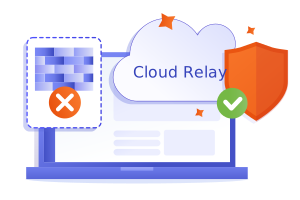
With Cloud Relay, you can connect to devices outside the local network faster and more easily - without port forwarding, manual routing, or complex network configuration.

Face even the strictest laws with confidence.

Detailed, step-by-step documentation shows you how nVision can support the implementation of NIS2 requirements and ISO 27001 standards.

nVision 18.0 brings much more than that - with plenty of other useful improvements waiting to be discovered.

All roads in your IT Empire
lead to nVision.

All roads in your IT Empire lead to nVision. Bring order now with the latest version of the software!
Let peace and order reign both in the heart of the empire and in all its provinces!

Divide and conquer

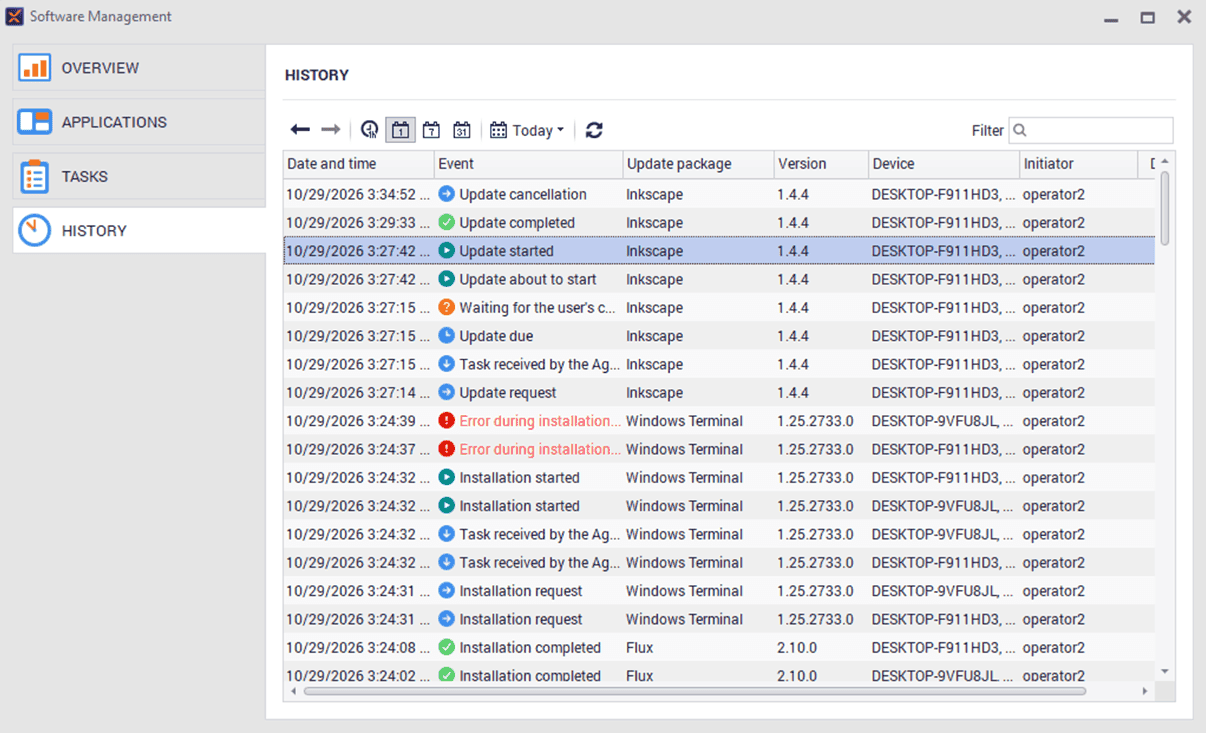
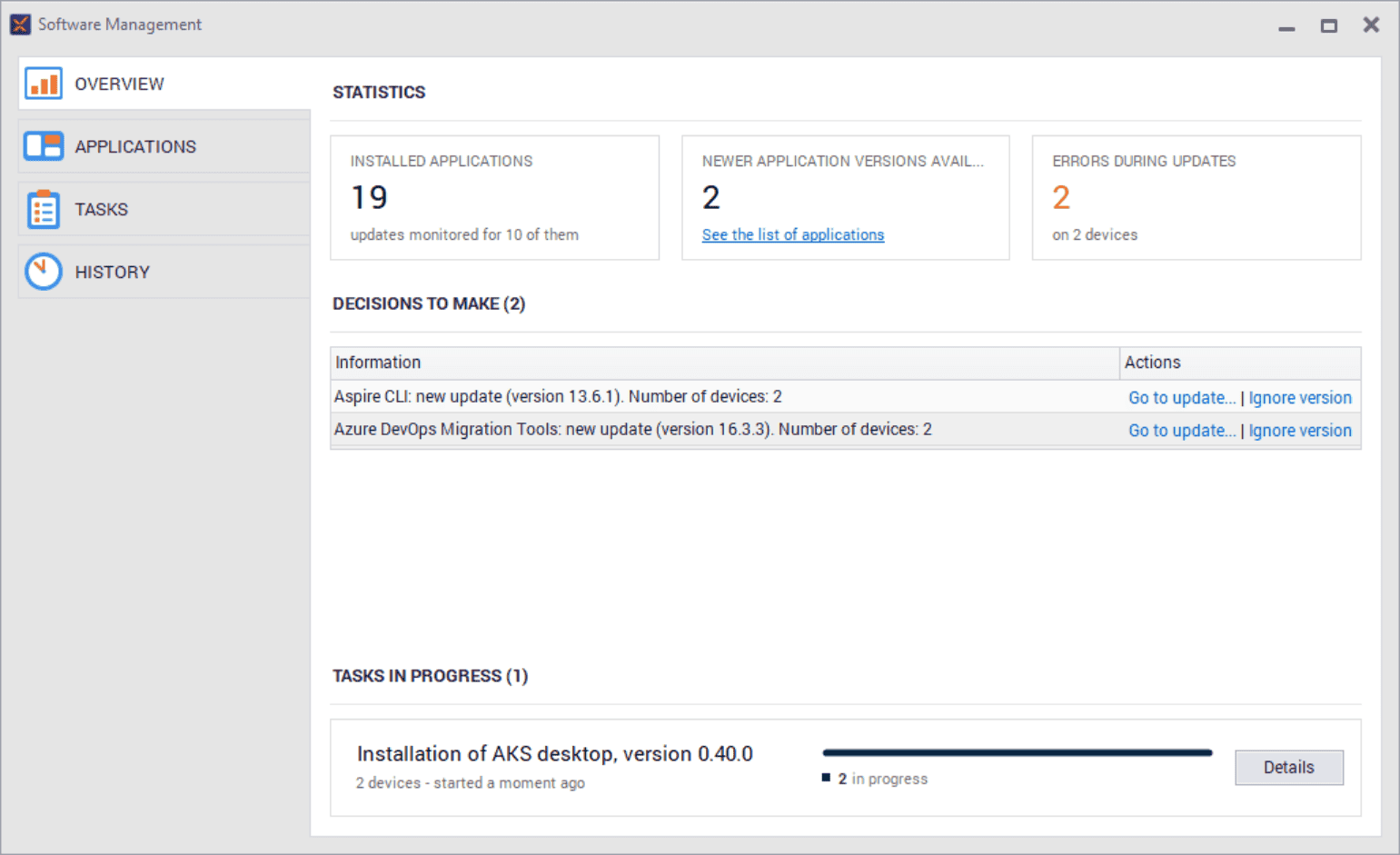
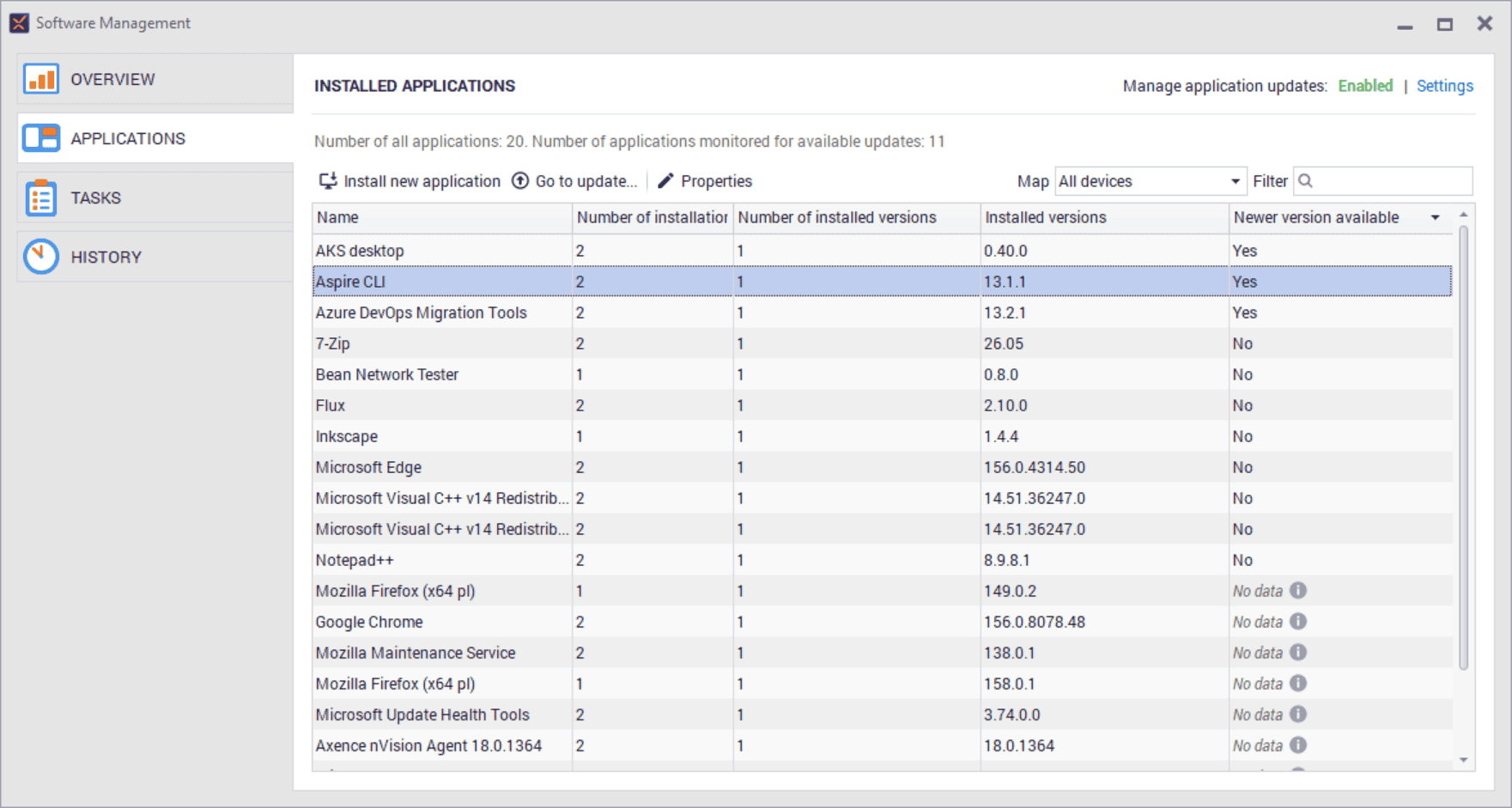
Even the best-managed empire required constant control over its provinces. In the IT environment, the same applies to applications. Any outdated version can become a weak point in the entire infrastructure. Patch Management in nVision 18.0 lets you check the versions of installed programs from a single location, select devices requiring action, and schedule updates on multiple computers simultaneously. Thanks to integration with the Microsoft WinGet repository, you don’t have to search for installers or visit vendors’ websites. Status updates, operation history, and results provide you with a complete picture of the update process. One command center, many managed applications. This is exactly what modern divide et impera can look like.
Image
Image

Knowledge is power

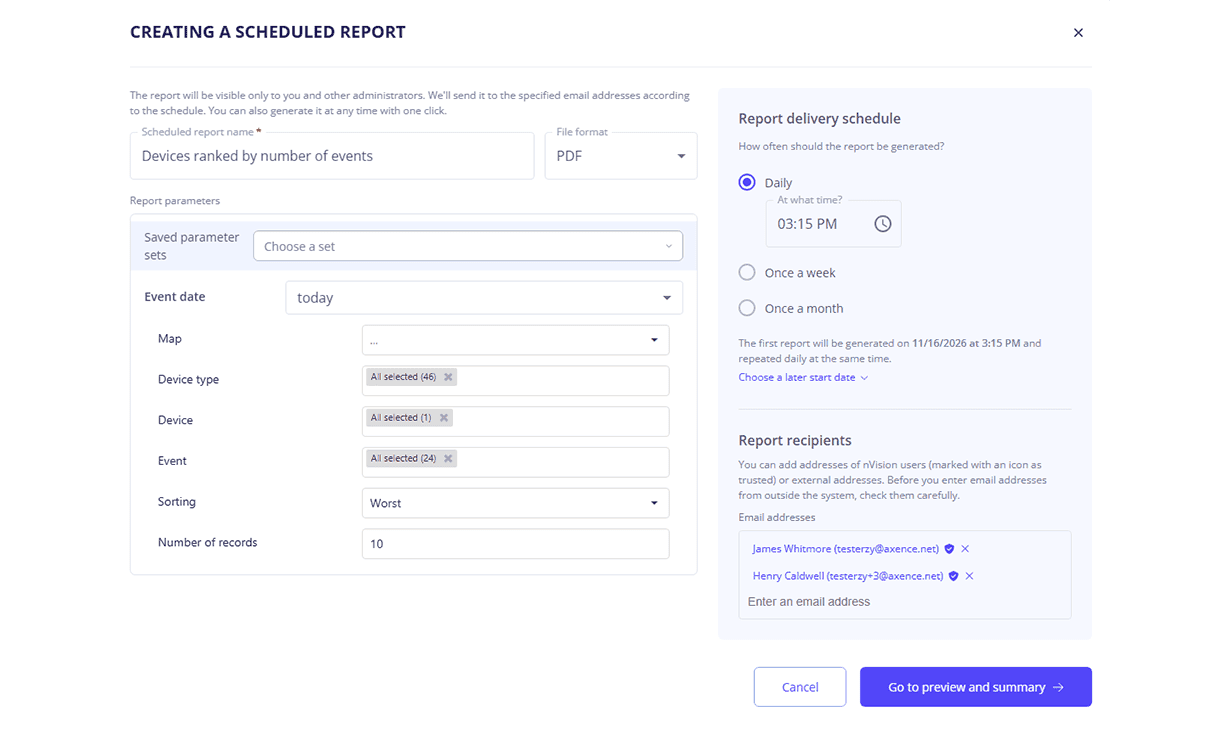
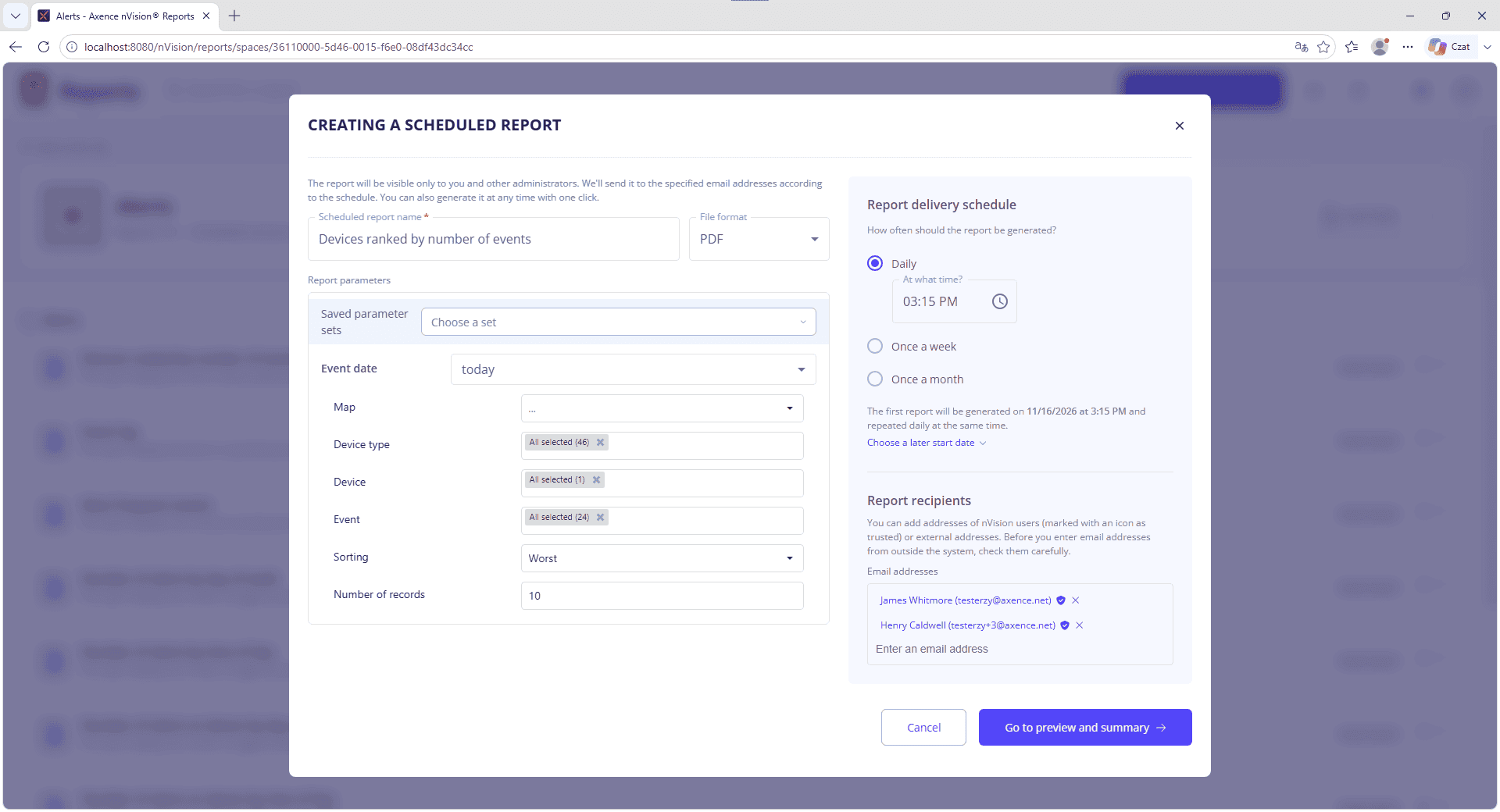
In ancient Rome, the effective management of a vast territory depended on access to up-to-date information. In IT, it works much the same way. Automated reports in nVision 18.0 let you schedule the generation and delivery of reports so that data reaches the right people exactly when it’s needed. You set the scope, filters, recipients, and frequency, and nVision takes care of the rest. In the new reports dashboard, you can check the history of reports sent, their processing status, and any errors. This ensures that information about changes to hardware and software, service requests, SLAs, or critical resources regularly reaches executives, managers, and those responsible for security. No more manually generating the same reports, and no need to involve IT every single time. Because in a well-managed organization, knowledge truly is power.
Image
Image

All territories under one banner

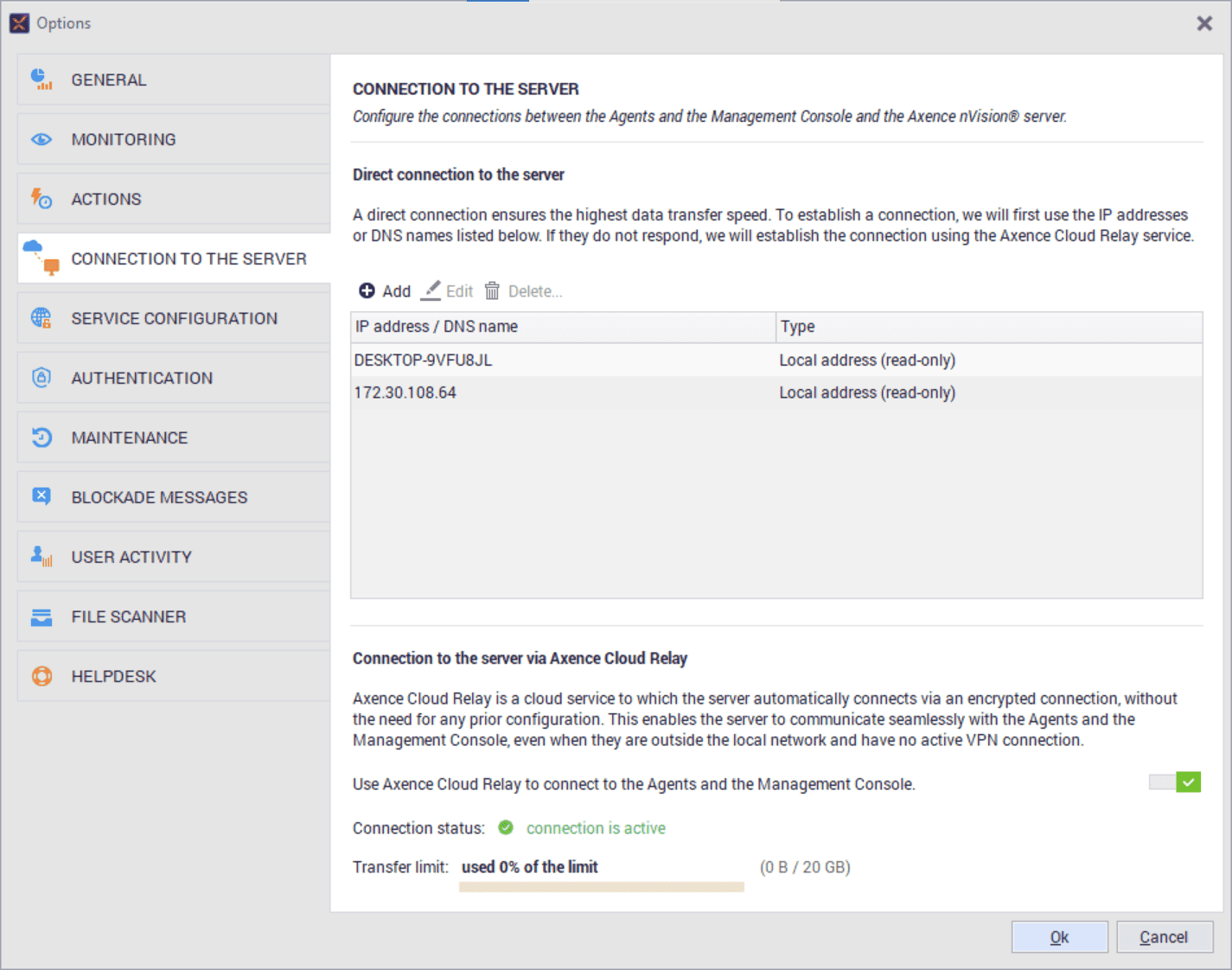
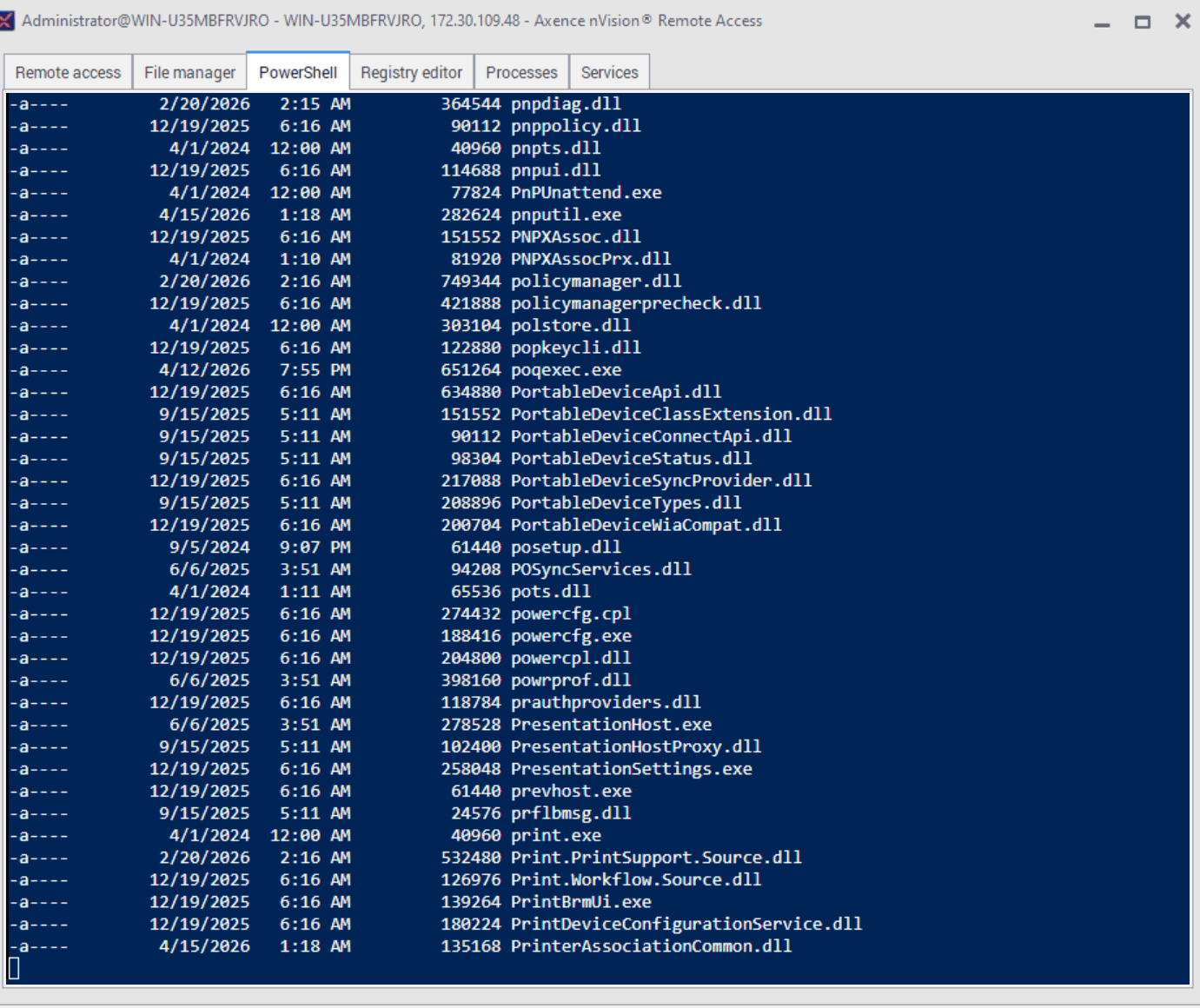
The empire did not end at the capital’s city walls. Today’s IT environment also extends far beyond the office walls. Laptops operate remotely, users travel, and devices do not always have direct access to the corporate network. Axence Cloud Relay allows nVision agents to communicate with the server over the Internet without having to configure its address, open additional ports, set up a VPN, or maintain a separate intermediary infrastructure. Devices remain under control even outside the corporate network, and available nVision features-including remote access, HelpDesk, and Chat-can still be used. This allows the headquarters to maintain connectivity with its remote locations, regardless of where users and their devices are currently located.

Image
Image
Image

Changelog

New Features

nVision
  • Axence Cloud Relay: 

    • a service that acts as an intermediary between Agents and the Axence nVision Server, providing secure communication without the need to open or forward ports,
    • full range of Agent functionality, including remote access, HelpDesk, and chat,
    • 20 GB of data transfer for trial version users,
    • 500 GB of data transfer for commercial version users with an active service contract.
  • ISO documentation in English.

  • Automatic reports sent via email (daily, weekly, or monthly).

Inventory
  • Software update management: 

    • integration with WinGet,
    • detection of exact software versions,
    • display of outdated installations,
    • remote software updates,
    • notifying users of planned software downtime due to updates.
Users
  • New built-in report: user login audit.

HelpDesk
  • Filtering values in the “Related Device” field based on device permissions.

Download nVision 18.0!

Do you have an active

Service Agreement?

Download for free

You don't have an active

Service Agreement?

Quote

Watch a live webinar and learn all the significant improvements in nVision 18!

Image
Presenter:Piotr Adamczyk
Product Manager at Axence
Date:
24 November 2026 11:00:00 AM
Registration Form
ImageImageImage

Questions & Answers (Q&A) – nVision 18.0

What's new in nVision 18.0?
The most important new features include Patch Management, extensive automated reports, and Axence Cloud Relay, which facilitates communication with devices located outside the local network. Version 18.0 also expands reporting capabilities in the Users and Inventory modules, introducing two new reports: a user login audit (Users module) and a report on resource interactions and activities (Inventory module).
What is Patch Management in nVision 18.0 used for?
Patch Management lets you check the versions of installed applications and deploy updates to selected computers. Administrators can manage the entire process centrally from the nVision console and track the status of individual operations.
Can I update multiple computers at the same time?
Yes. You can select multiple devices and deploy application updates to all of them. nVision shows the status of each task, so you can immediately see which operations were completed successfully, which are still in progress, and which require attention.
Where does nVision get information about available applications and updates?
Patch Management uses the Microsoft WinGet repository, so administrators do not need to search for installers manually or visit software vendors’ websites.
How do automated reports work?
The administrator defines the report scope, parameters, recipients, and delivery schedule. nVision can then automatically generate and send reports by email on a daily, weekly, or monthly basis.
Can I check the history of generated reports?
Yes. The new reporting panel lets you review execution history, delivery status, and any errors. This makes it easier to monitor what information was generated and who received it.
What is Axence Cloud Relay?
Axence Cloud Relay allows nVision agents to communicate with the server over the Internet, even when a device is outside the company’s local network. This helps maintain connectivity with remote employees’ computers and devices used outside the office.
Does Cloud Relay require VPN configuration or port forwarding?
No. Axence Cloud Relay does not require opening additional ports, configuring a VPN, or maintaining separate relay infrastructure.
Do remote access features still work through Cloud Relay?
Yes. An agent connected through Axence Cloud Relay can still use the available nVision features, including remote access, HelpDesk, and Chat.
How does nVision 18.0 help with audits and documenting IT activities?
Update history, operation statuses, and recurring reports help document administrator activities and the state of the IT infrastructure. This can make it easier to prepare evidence and data required during audits related to, among others, NIS2 and ISO 27001.
Does nVision 18.0 reduce manual work for administrators?
Yes. Automated reporting, centralized update management, and simpler communication with devices outside the local network reduce repetitive tasks and allow administrators to focus on work that requires analysis and decision-making.
Feature Benefit for IT Admins
› Patch Management
✓ Faster application updates managed from one place.
› Automated reports
✓ Less manual work and regular access to key data.
› Axence Cloud Relay
✓ Connectivity with devices outside the company network without a VPN.
› NIS2 and ISO 27001 documentation
✓ Practical guidance on how nVision can support compliance with regulatory and security requirements.